Spendings TrackerOffline expense tracker for Android

Your bank messages, turned into a private budget.

Spendings Tracker reads the bank SMS and payment notifications already on your phone, sorts every transaction with on-device AI and shows where your money goes. No bank login, no cloud.

Coming soon toGoogle PlaySee how it works
  • Works fully offline
  • No bank login
Illustrative example · sample message
Bank SMS

Purchase SAR 86.50 at Example Café with card **12. Available balance …

Recognized on your phone
Operation
Purchase
Direction
Money out
Amount
SAR 86.50
Originator
Example Bank
On-device AI

No internet needed

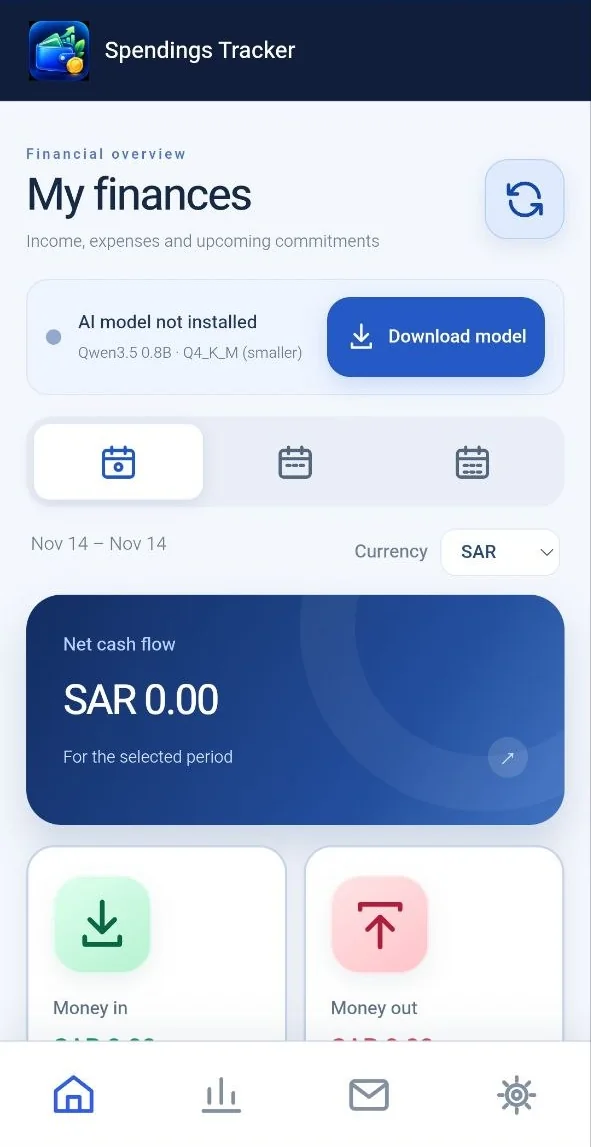
Spendings Tracker home screen with net cash flow, money in, money out and the offline AI model status
Automatic import

No typing. Your bank already sent the details.

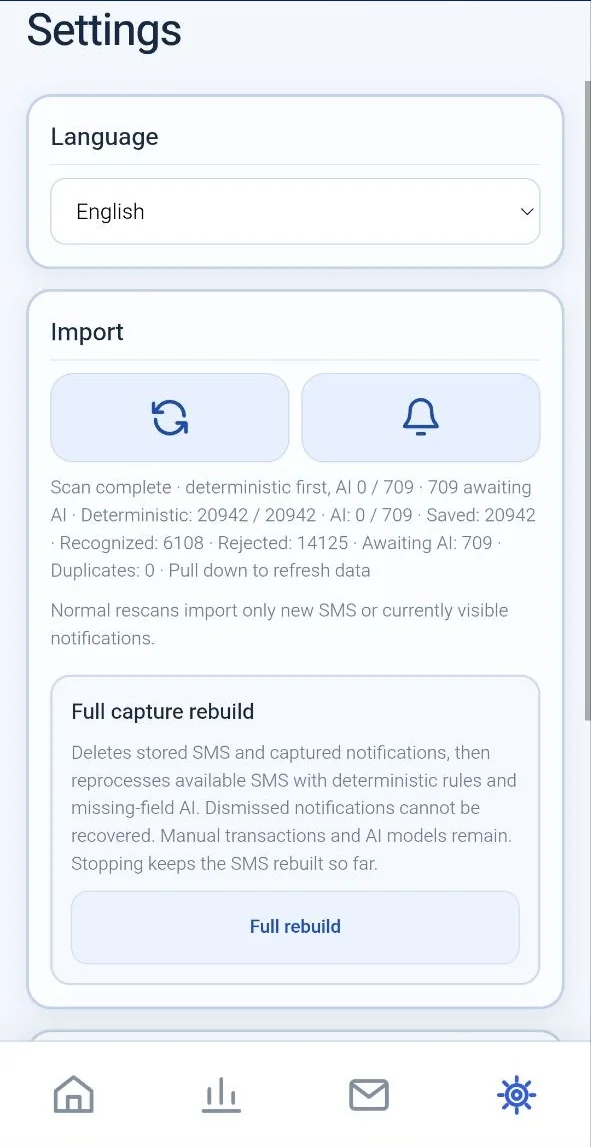
Allow access once and Spendings Tracker scans your bank SMS and, if you turn on notification access, payment notifications too. Known formats are read by rules straight away; the AI only fills in what is missing.

  • Rescans import only new SMS and the notifications on screen
  • Duplicates are found and skipped
  • Non-financial messages are rejected, never counted
  • Full capture rebuild reprocesses everything and keeps your manual entries
  1. Bank SMS and notificationsRead on your phone, with your permission
  2. Rules firstFamiliar bank formats parsed instantly
  3. Offline AI fills the gapsOnly for fields the rules could not read
  4. Recognized transactionAmount, currency, operation, bank and date
Spendings Tracker settings with language, import scan results and full capture rebuild
Offline AI

Local AI that never leaves your phone.

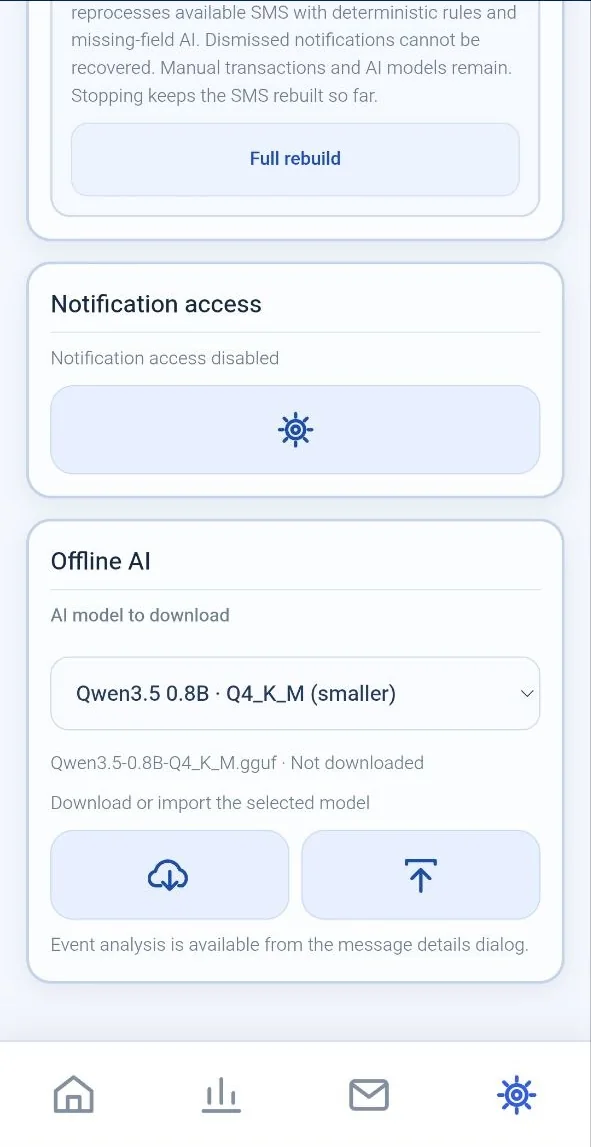
Download a compact language model once, or import the file you already have. From then on, recognition and analysis run on the device, even in airplane mode.

  • Choose the model size that suits your phone
  • Download in the app or import a model file
  • Open any message to run an event analysis
  • No cloud AI, no API keys, nothing uploaded
Offline AIRuns on this phone
Model
Qwen3.5 0.8B · Q4_K_M
File
GGUF, downloaded or imported
Messages sent online
None
Internet
Only if you choose to download

Works in airplane mode

Spendings Tracker offline AI settings: choose, download or import the AI model
Rules first

Known bank formats are read by deterministic rules, which are fast and predictable.

AI fills the gaps

Only fields the rules could not find are passed to the local model.

Event analysis

Open a message’s details and run an AI analysis of that event, on the device.

Your choice of model

Pick the model from the list, such as a smaller one that saves space and memory.

Explore your money

See where your money goes, month by month.

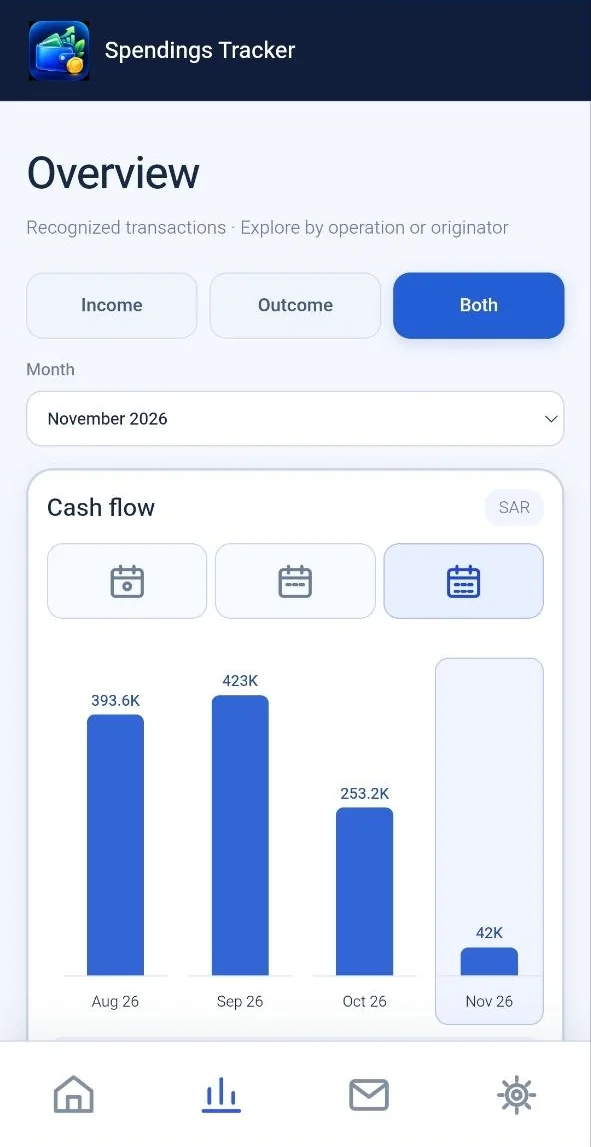
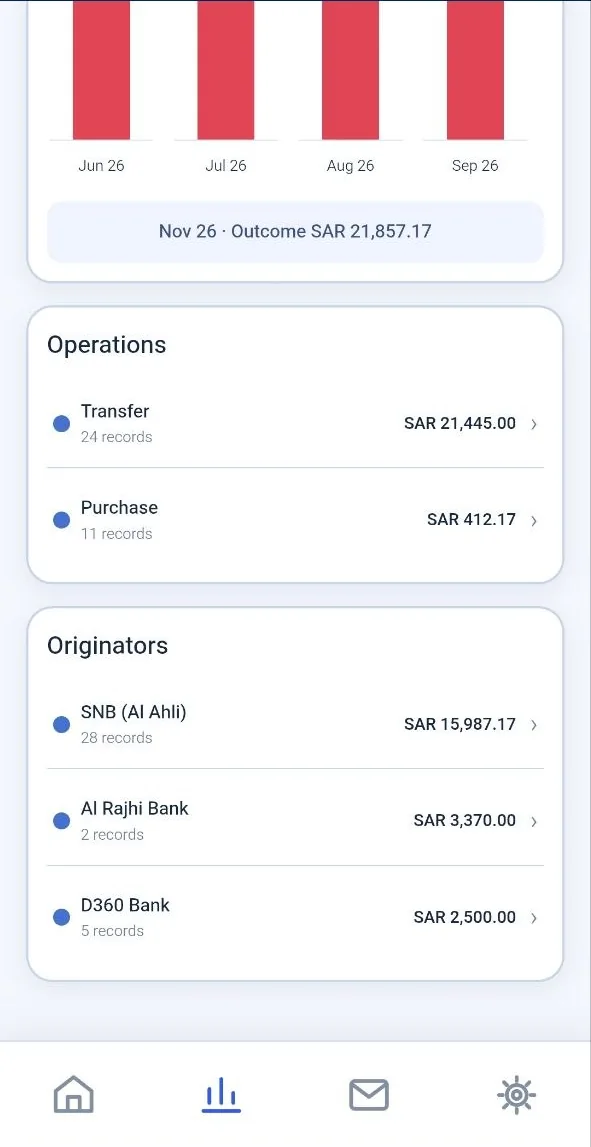
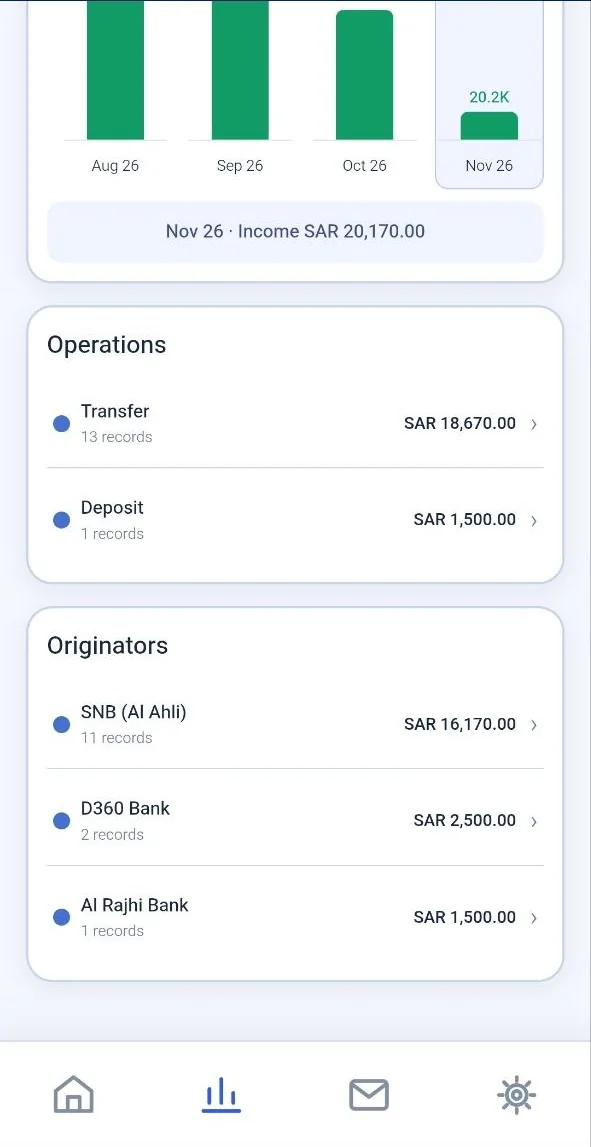
Switch between income, outcome or both and pick a month. The cash-flow chart and every breakdown update together, so the big picture and the detail always match.

  • Cash flow bars for each month
  • Operations such as transfers, purchases and deposits
  • Originators: the bank or service that sent each message
Spendings Tracker overview with income, outcome and both, month picker and cash-flow chart
Spendings Tracker outcome breakdown by operation and by originating bank
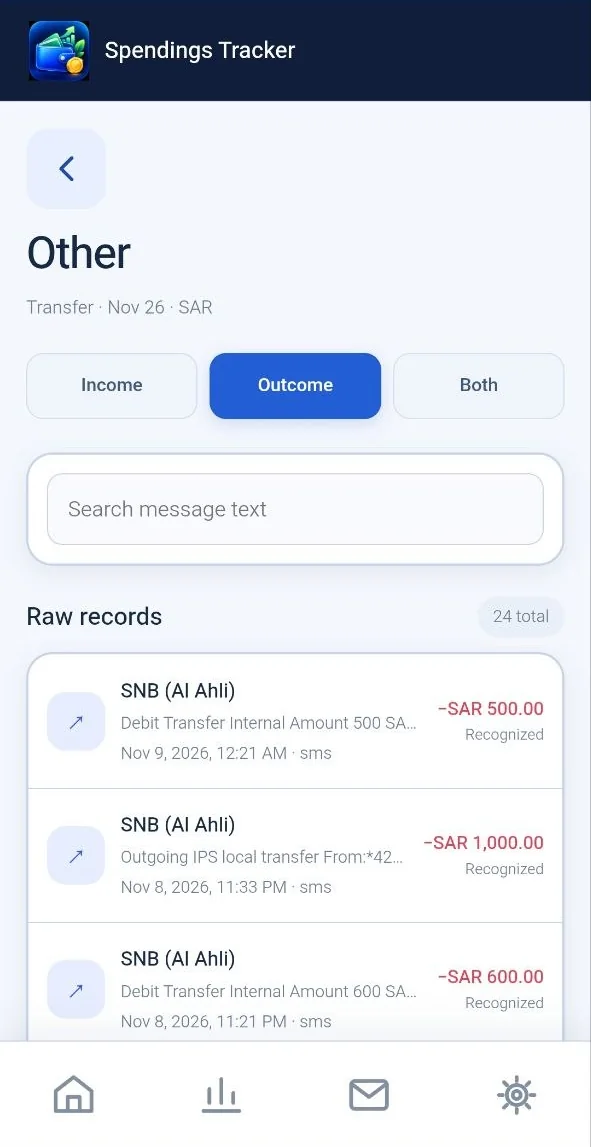
Spendings Tracker raw outcome records with message text search
Month overview Operation or bank Raw records The original message

Every total can be checked.

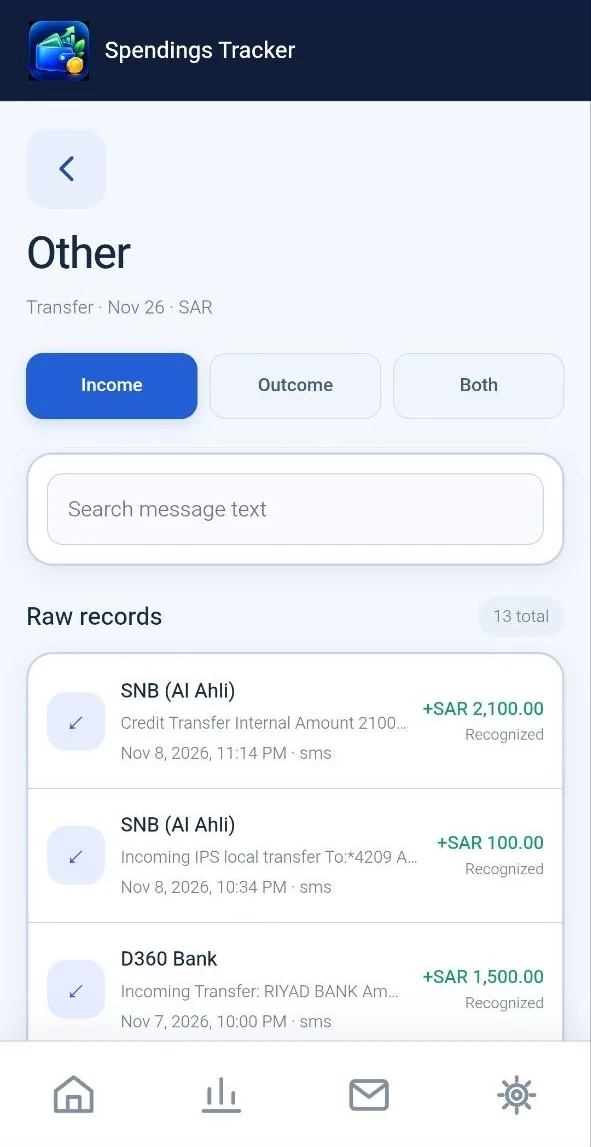
Tap an operation or a bank to see the exact messages behind the number, for income just as for spending.

  • Income, outcome or both for every list
  • Search inside the message text
  • Each record shows its source, date and recognition status
Spendings Tracker income chart with operations and originators
Spendings Tracker raw income records for a transfer
Your finances today

Know what came in, what went out and what’s due.

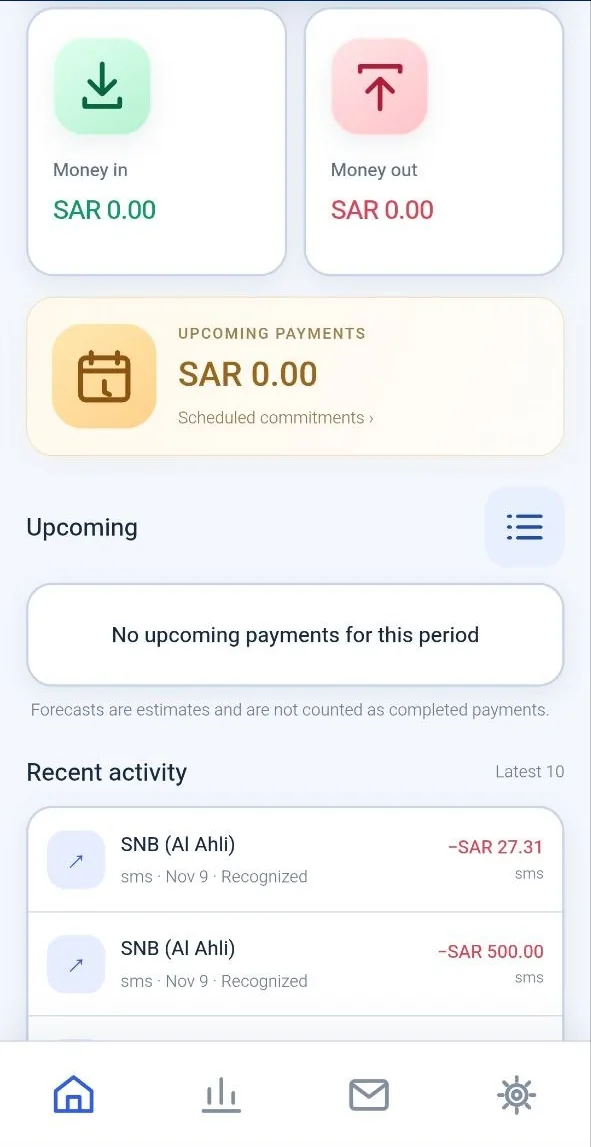
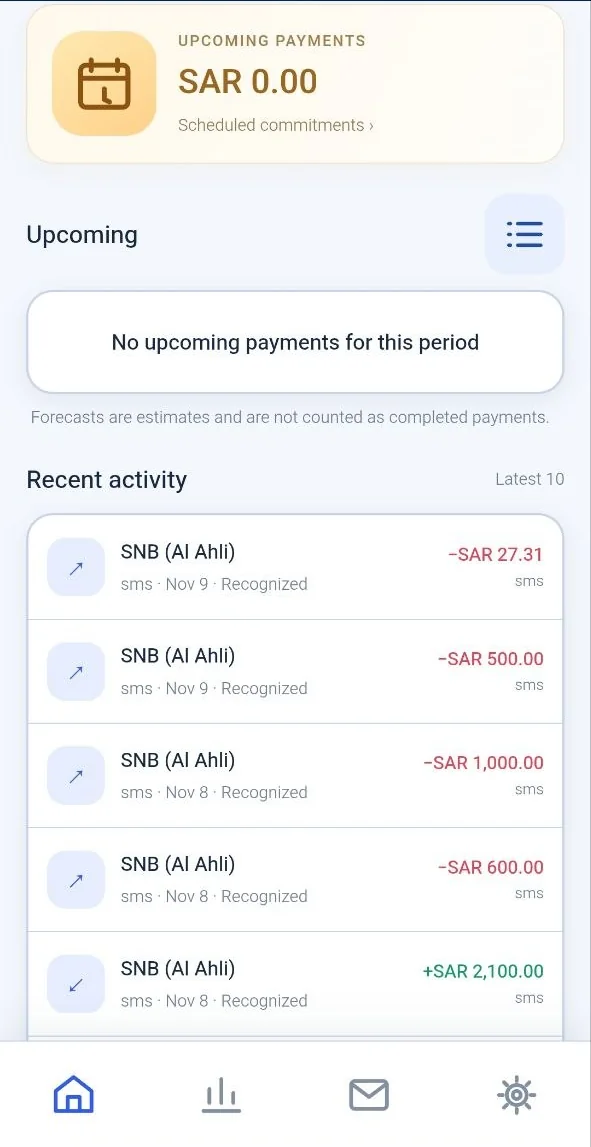
The home screen shows money in, money out and net cash flow for the period you pick, with upcoming payments and your latest activity right below.

  • Switch the period with one tap
  • Upcoming payments from your scheduled commitments
  • Forecasts are shown separately and never counted as paid
  • The latest 10 transactions at a glance
Illustrative figures
Net cash flow+SAR 3,450.00For the selected period
Money inSAR 12,400.00
Money outSAR 8,950.00
Upcoming paymentsRent · SAR 3,000.00Forecast, not counted as paid
Spendings Tracker money in, money out, upcoming payments and recent activity
Spendings Tracker upcoming payments and the latest ten transactions

Private by design.

Your financial life is personal. It stays on your phone.

No bank login

It works from the messages your bank already sends. No passwords, no account linking.

Offline AI

The AI model runs on the device. Your messages are never sent to a cloud service.

Stays on your phone

Messages, transactions and settings are stored locally and never used for ads.

Questions about Spendings Tracker

Does Spendings Tracker need the internet?

No. Import, recognition, AI analysis and all charts work offline. The internet is used only if you choose to download the AI model in the app; you can import the model file instead.

Does it connect to my bank account?

No. It never asks for bank passwords or account access. Transactions are recognized from the SMS and notifications your bank already sends to your phone.

Which messages does it read?

Bank and payment SMS, plus payment notifications if you turn on notification access. Messages that are not financial are rejected and never counted.

What does the AI do?

Rules read familiar message formats first. The on-device AI fills in only the fields the rules could not find, and can analyze any transaction you open from the message details.

Are upcoming payments counted as spent?

No. Upcoming payments are forecasts from your scheduled commitments and are kept apart from completed payments.

Can I start over?

Yes. Full capture rebuild deletes stored SMS and captured notifications and processes the SMS on your phone again. Manual transactions and AI models are kept. Notifications you already dismissed cannot be recovered.

Know where your money goes, offline.

Bank messages in, a clear budget out, analyzed by AI on your own phone.

Coming soon toGoogle Play